
Microsoft is testing a new feature in its Xbox app for Windows 11 that could make gaming on a PC, especially handhelds, much easier. Called “My apps,” the new feature gives users a simple way to find, install, and launch third-party apps like web browsers, gaming tools, and even other game stores—all from inside the Xbox app.
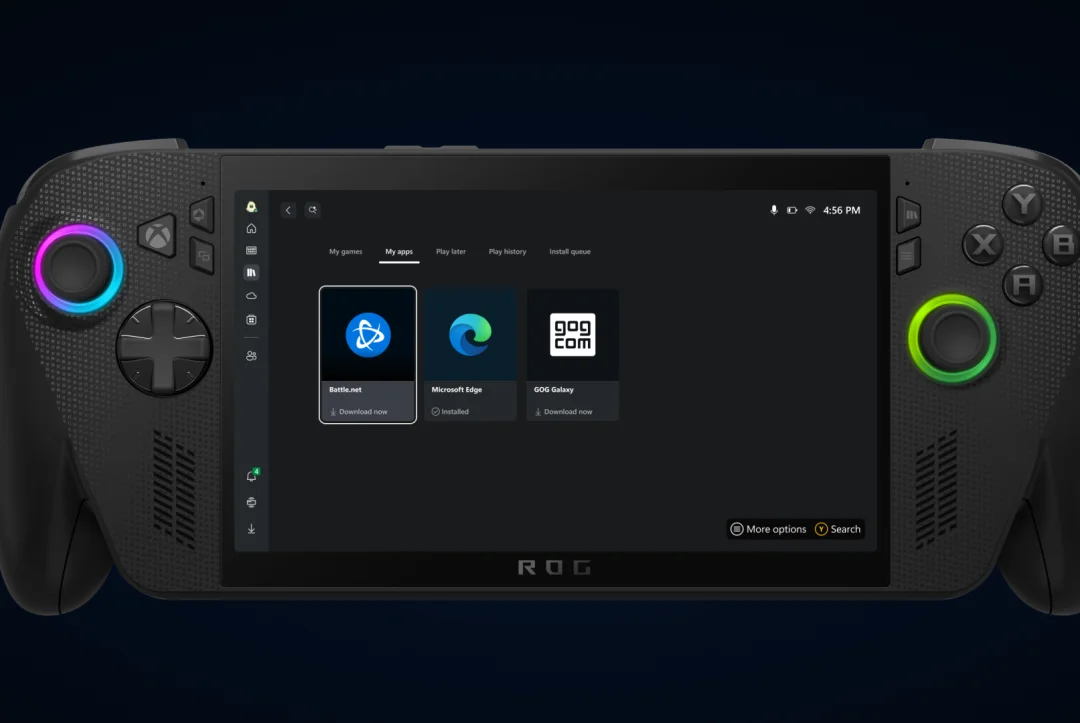
This update is aimed at streamlining how PC gamers access their favorite platforms. Rather than switching between different launchers or digging through the Microsoft Store, users can now manage apps like Chrome, Battle.net, and GOG Galaxy from one place. Microsoft says this helps support its goal of building an “aggregated gaming library,” where users can manage everything from one central hub.
Devin Dhaliwal, a product manager for Xbox experiences, explained that “My apps is a new tab within the Xbox PC app’s library that allows players to locate, view, and download third-party applications and commonly used storefronts.” According to Microsoft, this will make it easier to navigate between apps and services, especially when using Windows 11 on a handheld device like the ASUS ROG Ally.
The new tab is still in beta, and Microsoft is testing it with a select group of apps. In early tests, it worked well with already-installed apps like Chrome and Battle.net. The Xbox app simply launched those programs directly. For apps not already installed, like GOG Galaxy, the Xbox app attempted to handle the download and installation process without needing to go back to the Windows desktop. That process didn’t always work during testing, but as a beta feature, it’s expected to have some bugs.
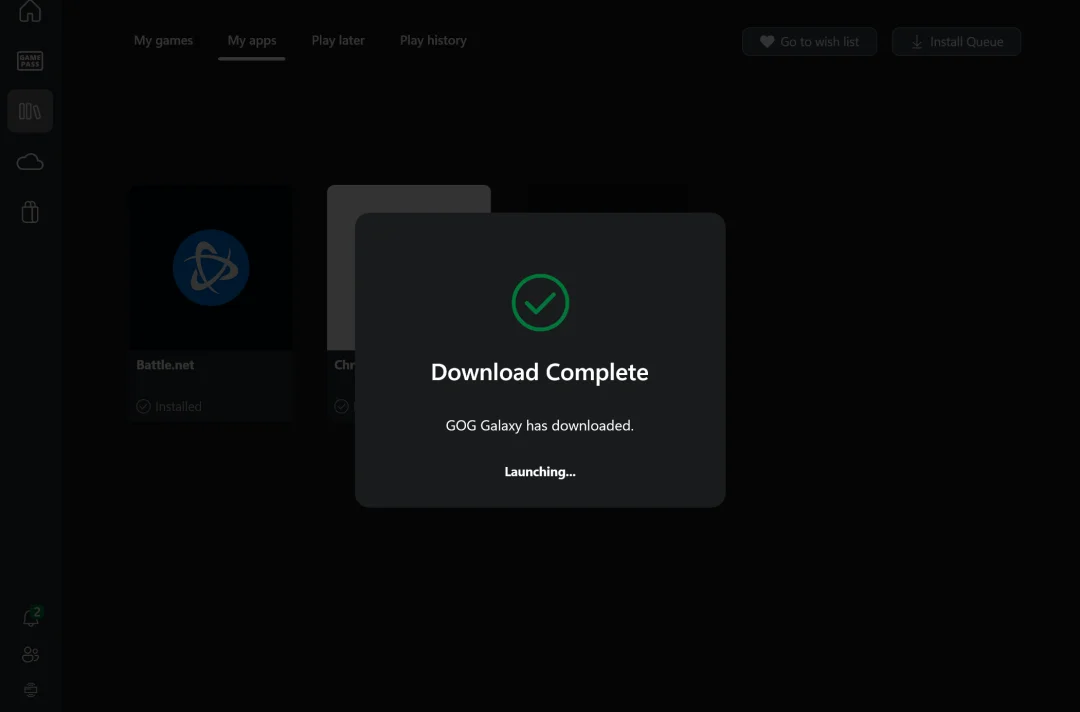
The idea behind the new feature is to reduce the need for gamers to interact with the traditional Windows desktop interface, which can be clunky on handheld PCs. Instead, gamers will be able to stay inside the full-screen Xbox app, using it as the main interface for everything they need.
This update builds on Microsoft’s earlier work to combine multiple game platforms into the Xbox app. The company has already started pulling in games from Steam, Ubisoft Connect, and Battle.net into a unified library. The Xbox app also supports cloud gaming and syncing of play history across devices.
Microsoft has made it clear that it wants the Xbox app to be the center of PC gaming. Last year, the company said its goal was to make the app the main destination for PC players. With features like “My apps,” Microsoft is moving closer to that goal.
Still, there’s room for improvement. SteamOS, for example, remains a favorite for many handheld gamers due to its cleaner interface and better performance. Some users have criticized Windows 11 for being too complex for gaming-focused handhelds. Microsoft is aware of these concerns and has been working on ways to bring the best of both Xbox and Windows into one seamless experience.
As Microsoft continues testing the feature, it plans to expand support to more third-party apps. If successful, the Xbox app could become a true all-in-one hub for PC gamers—no matter what store or platform they prefer.



0 Comments
Leave a Reply