

In today’s day and age processing power for consumer PCs has never been more powerful. Back in the 1990’s, a 600Mhz PC was extremely fast and capable of attending to all computing needs. Of course, technology improves as time passes by and that once-powerful 600Mhz, is now regarded as slow and weak. So in the start of 2000, AMD released the first ever 1Ghz processor. In 2014, AMD once again made the history books by making the first ever 5.0Ghz consumer processor.
In 2016, processing power is extremely important for everyday tasks. Most people would say that the higher the clock speed, the faster it is. Well even though that is somewhat true, that doesn’t mean its efficient all the time. So due to the request of many, here we have our Php50,000 AMD PC Gaming Build Guide.
Why did we choose AMD? Well this build is perfect for those who are constantly multi-tasking thanks to the 8-core power of the FX series processors by AMD, and here we will be utilizing the FX-9590 processor – the first 5.0Ghz consumer processor. With that in mind, we assure you that rendering, computing, and other CPU intensive tasks will flow significantly smoother than what lower clock speeds can do.
The RX-470 and 460 will be released in a few weeks. Though with their expected performance to be weaker than a 480, we won’t be considering them in this build by the time we update this in the future. Since the RX-480 is currently AMD’s latest and fastest Polaris GPU, we will utilizing the RX 480 in both of our builds here.
Build 1:
| Part | Name | Price |
|---|---|---|
| CPU: | AMD Vishera FX-9590 4.70GHz (5.0GHz Turbo) 8-Core | 15,250 |
| GPU: | Sapphire RX 480 8GB GDDR5 | 13,800 |
| MOBO: | Gigabyte GA-970-Gaming | 4,500 |
| RAM: | Gskill RipjawsX 16GB (8×2) DDR3 2133 | 3,450 |
| HDD: | Seagate 2TB 7200RPM ST2000DM001 | 3,540 |
| SSD: | Kingston SSDNow V300 240GB | 3,690 |
| PSU: | Corsair VS650 | 2,650 |
| CASE: | Aerocool Aero-500 MidTower | 1,840 |
PRICE: PHP48,720
As I’ve mentioned above, AMD is famed for making fast processors (they beat Intel as the first processor brand to reach 1.0Ghz back in 2000). Thus, we will be using AMD’s fastest consumer processor in the market today which is the FX-9590 that has a base clock speed of a whopping 4.7Ghz, that goes tup to 5.0Ghz. Asides from the very high clock speed, the FX-9590 is also an 8-core processor, which means it can handle CPU intensive AAA games extremely well, and is extremely fast in multi-core processing.
As of now, the RX-480 is AMD’s only Polaris GPU, and with the news of the 470 and 460 being weaker, we are wondering what card will AMD use to go up against the 1080. Thus, the RX-480 is a must have for budget gamers who wants to max everything at 1080p. Compared to its Nvidia counterpart which is the GTX 1060, the AMD is slightly weaker in performance but makes up for the price. With the RX-480, you can expect to have a buttery smooth 1080p gaming, that has lots of potential in 1440p, and is also capable of 4K (just turn down the settings a bit).
Accompanying the FX-9590 and the RX-480 is a dual channel DDR3 2133Mhz 16GB kit by G.Skill, a 240GB SSD by Kingston, a Corsair VS650 power supply, 2TBs of space, all handled by a Gigabyte GA-970 Gaming motherboard. Do take note that the 9590 doesn’t have a stock fan and heatsink.
This build is extremely fast and extremely powerful for 1080p gaming. Choose this if you want to render or game in 1080p. Since there are no higher-end cards (excluding previous gen cards such as the Fury-X) from AMD yet, the RX-480 is the only card that we could choose.
Build 2 (With a monitor):
| Part | Name | Price |
|---|---|---|
| CPU: | AMD Vishera FX-9370 4.40GHz | 11,250 |
| GPU: | Sapphire RX 480 8GB GDDR5 | 13,800 |
| MOBO: | Gigabyte GA-970-Gaming | 4,500 |
| RAM: | Gskill RipjawsX 16GB (8×2) DDR3 2133 | 3,450 |
| HDD: | Seagate 1TB 7200RPM ST1000DM003 | 2,450 |
| SSD: | SanDisk Plus 120GB | 2,350 |
| PSU: | Corsair VS650 | 2,650 |
| CASE: | Aerocool Aero-500 MidTower | 1,840 |
| MONITOR: | LG 24MP58VQ 24? IPS | 8,050 |
PRICE: PHP50,340
The only difference between the first and second build is that this one has a monitor, with the cost of less space, and a slightly slower processor. Here we utilize the FX-9370 processor which is actually almost the same as the 9590 though 300Mhz slower. Performance-wise, you won’t really see much of a difference even when gaming unless you plan on rendering 3 simultaneous HD videos while processing some very complex data.
The card that we’re using here is the same as the first which is an AMD RX-480. The card itself is extremely powerful for 1080p gaming, capable of maxing settings to their highest, while also delivering a smooth 1440p experience and is capable of 4K gaming (again, just lower the settings).
Unlike the first build, we have less storage space for both the HDD and the SSD. This won’t really matter if you don’t consider those as important parts or if you don’t really need the extra space anyway.
The Monitor that we used here is the LG24MP58VQ – a 24″ IPS 1080p display. If you want an Ultra-Wide monitor instead, go for the LG25UM58. We have provided pictures of the LG24MP58VQ and the LG25UM58 below.
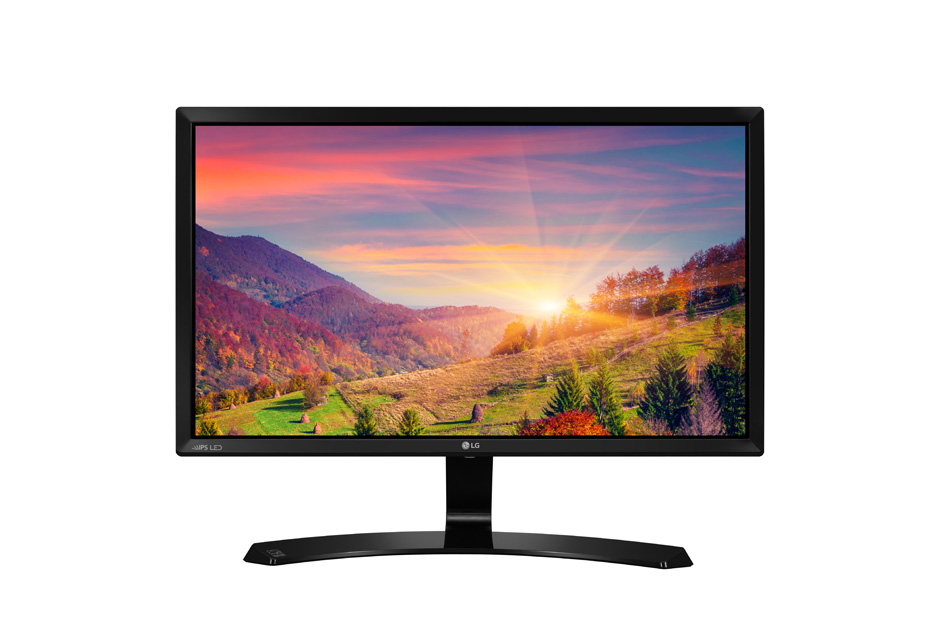
LEDLG24MP58VQ
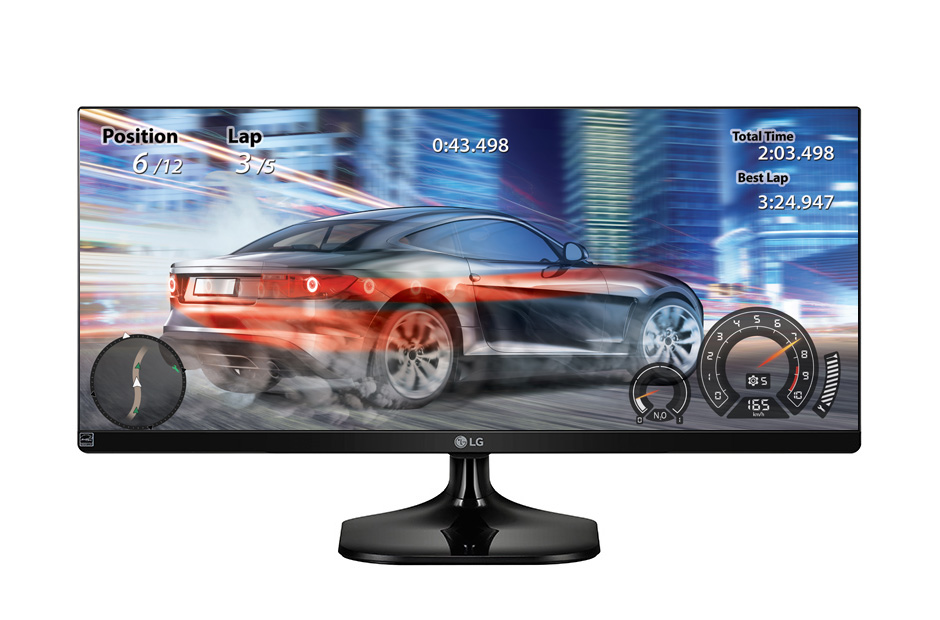
LG 25UM58 25″ UltraWide IPS
Both monitors have very similar specifications, though the main attraction of the two is that the LG25UM58 is an Ultra-Wide monitor with a resolution of 2560×1080. Choose the LG25UM58 if you are more into development and video creation. It is also great for viewing movies in their standard 21:9 format.
Gaming wise, the LG25UM58 will be much more taxing on the GPU and CPU than the LG24MP58VQ. This is due to more pixels, and when your playing games with 21:9 aspect ratio, you have a wider field of view (if the game supports it).
Bottomline:
All in all, with this price point AMD can offer extremely fast processors that is more focused and are suggested to the likes of game devs, video editors, or software developers. Gaming wise, the RX-480 is sufficient for 1080p gaming and can max out settings in almost every AAA game today with at least 60fps.
You could also check out our Php20,000 AMD and Php30,000 AMD build guides for reference.
Are you looking for a cheaper rig? or a new laptop? Check out our:
- Php10,000 Brand New Build Guide 2016
- Php10,000 Secondhand Build Guide 2016
- Php10,000 Hybrid Build Guide 2016 (Brand new and old components)
- Laptops around Php30,000




Topic request: BEST ALL-IN-ONE GAMING PC