
NVIDIA has recently announced the availability of Minecraft with NVIDIA RTX for Windows 10, bringing in ray tracing and DLSS technologies in the game.
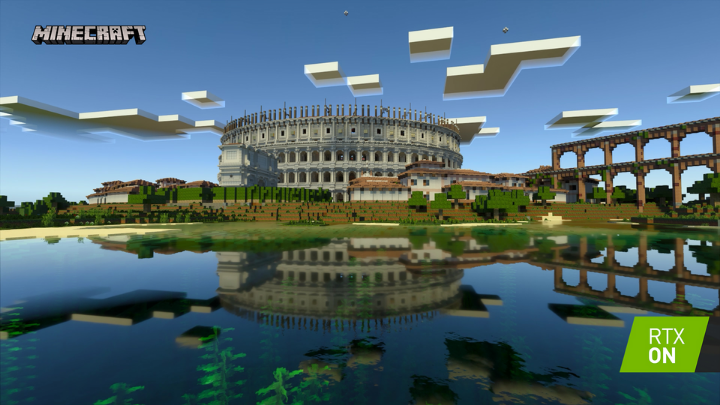
With the new feature, Minecraft with RTX players may visit ray-tracing worlds and maps on Realms and servers with other gamers using cross-platform Minecraft Bedrock game clients. By default, they may also see everything vividly with a special Physically Based Rendering (PBR) texture pack that enhances ray-traced effects. Do note that players should have at least NVIDIA GeForce RTX 2060 or later to enjoy the graphics’ improvements. On the other hand, players on other platforms will see only Minecraft’s standard visuals.
With ray tracing and Physically Based Rendering, players can build scenes with lighting, shadows, and effects with more detail and accuracy.
Previously, NVIDIA released two Creator Worlds pack for free. NVIDIA further widens the RTX technology in Minecraft by adding two new worlds, increasing Minecraft’s ray-tracing worlds to 15. The collaboration with creators aims to craft free ray-traced worlds with respective gameplay mechanics.
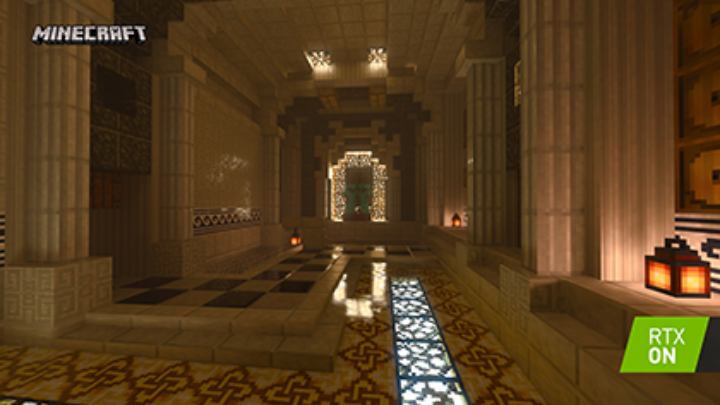
These two new worlds are called Colosseum RTX and Dungeon Dash RTX. The former is inspired by Rome’s Colosseum, while the latter is a medieval village with floating islands in the sky, a mysterious mine, and more. Players may find 20 pieces of historical trivia, discover hidden locations, take a photo tour, and fight in the arena with up to 3 friends against waves of mobs in the Colosseum RTX. Those who will go to the Dungeon Dash may conquer 10 unique dungeons in different biomes, earn loot, and go to Orc Village.
The latest version of Minecraft for Windows 10 is now available from the Microsoft Store. Meanwhile, the Colosseum RTX and other Minecraft RTX worlds are now available for free on the Minecraft Marketplace. The Dungeon Dash RTX will be available soon on the same in-game store.



0 Comments
Leave a Reply