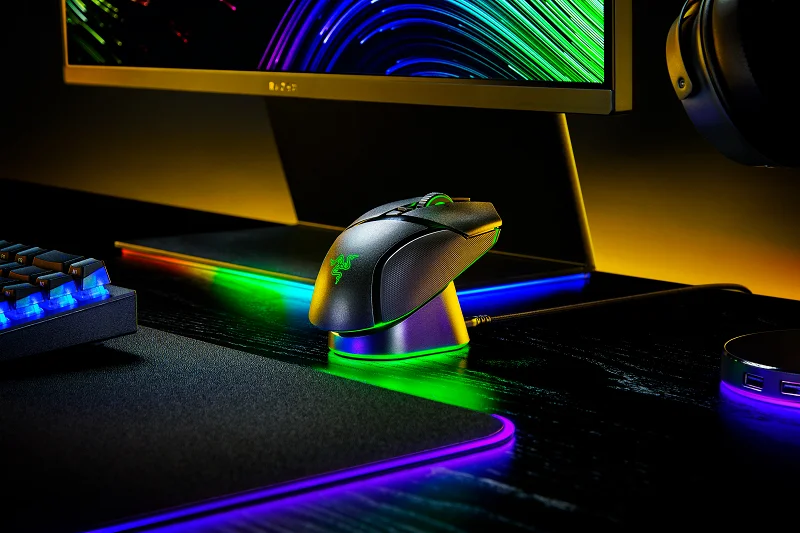

Razer has just announced its newest and most advanced mouse to date, the Razer Basilisk V3 Pro. It also features multi-device support to help connect the mouse with a wireless Razer keyboard together with a single dongle. The Basilisk V3 Pro can also connect via Bluetooth, a Type-C connection, and Razer's newly released 4K Hz HyperPolling Wireless Dongle. Charging is also made easy with the Razer Mouse Dock Pro with an Integrated 4K Hz Transceiver, allowing it to support Magnetic Wireless Charging for a more seamless and convenient experience. All users will need to do is replace the regular mouse puck with the Wireless Charging Puck that comes with the Mouse Dock Pro and charge the mouse by simply placing it on the dock. If you'd also like to learn more about the Razer Mouse Dock Pro as well, you may click this link. Logitech is pushing gaming mouse technology forward with the Pro X2 Superstrike, its first wireless gaming mouse to use analog sensors powered by haptics instead of traditional mechanical switches. The Pro X2 Superstrike is also compatible with Logitech’s Powerplay 2 wireless charging mousepad. Read more in our articles including "Razer Basilisk V3 Pro launched, priced in the Philippines" and "Logitech unveils Pro X2 Superstrike mouse with haptic clicks and rapid trigger".
Razer has just announced its newest and most advanced mouse to date, the Razer Basilisk…
Aug 24, 2022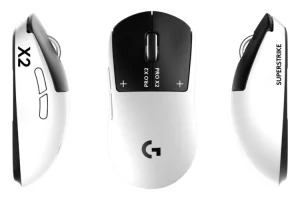
Logitech is pushing gaming mouse technology forward with the Pro X2 Superstrike, its first wireless…
Sep 20, 2025Razer, the brand for gamers by gamers, announced today not just one, but two new…
Jul 26, 2017Early this year, gaming hardware company Razer acquired Nextbit, the startup behind the Robin Cloud-First Android Smartphone.…
Jul 22, 2017One of Razer’s newest laptops that sports a 14-inch display, Intel Core i7 processor, 16GB…
Mar 23, 2017If you’re planning to get your hands on the powerful Razer Blade Stealth Signature Edition,…
Jan 10, 2017Razer has just announced its newest and most advanced mouse to date, the Razer Basilisk V3 Pro. It also features multi-device support to help connect the mouse with a wireless Razer keyboard together with a single dongle.
The Basilisk V3 Pro can also connect via Bluetooth, a Type-C connection, and Razer's newly released 4K Hz HyperPolling Wireless Dongle. Charging is also made easy with the Razer Mouse Dock Pro with an Integrated 4K Hz Transceiver, allowing it to support Magnetic Wireless Charging for a more seamless and convenient experience. All users will need to do is replace the regular mouse puck with the Wireless Charging Puck that comes with the Mouse Dock Pro and charge the mouse by simply placing it on the dock.
Our coverage of Razer Mouse Dock Pro wireless includes: "Razer Basilisk V3 Pro launched, priced in the Philippines"; "Logitech unveils Pro X2 Superstrike mouse with haptic clicks and rapid trigger"; "Razer announces true surround sound headset, Tiamat 7.1 V2". Each article provides unique insights and information.