
Intel is offering a free performance upgrade for gamers and PC enthusiasts with the release of its new “Intel 200S Boost” overclocking profile, designed specifically for its latest Arrow Lake CPUs. The update began rolling out this week and promises to deliver enhanced gaming performance—without voiding your warranty.
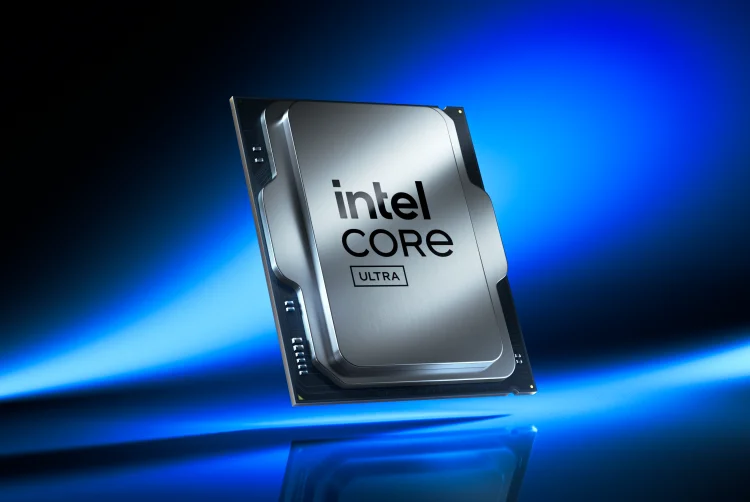
The 200S Boost profile is compatible with unlocked Intel Core Ultra 200S-series processors, including the Core Ultra 9 285K, Ultra 7 265K and 265KF, and Ultra 5 245K and 245KF chips. To take advantage of the boost, users will also need a compatible Intel Z890 motherboard and Intel XMP-certified RAM modules.
This move builds on previous efforts to refine Arrow Lake chip performance, following March’s BIOS updates that showed mixed gaming improvements. However, with the 200S Boost, Intel is now offering a more stable and officially supported method for pushing performance even further.
According to early testing by outlets like Tom’s Hardware, systems running the 200S Boost profile have shown an average 7.5% improvement in gaming performance when compared to setups using officially supported memory speeds. The update enables higher fabric, die-to-die, and memory frequencies, which are particularly beneficial in low-latency tasks like competitive gaming.
Intel emphasizes that this overclocking feature will not affect a CPU’s warranty, easing concerns for users looking to safely enhance their systems. Unlike traditional manual overclocking, the 200S Boost is a streamlined, preset profile designed to optimize key performance areas without demanding expert knowledge.
To activate the Intel 200S Boost, users should:
- Update their BIOS – Ensure the system’s motherboard firmware is the latest available.
- Enable the Profile – In the BIOS settings under overclocking options, select the ‘Intel 200S Boost’ profile.
- Restart the System – A reboot activates the profile and applies the updated performance parameters.
- Run Stability Tests – Use benchmarking tools like Cinebench to confirm system stability.
- Monitor Performance – Track temperature and voltage using tools like Intel XTU to ensure safe operation.
Intel cautions that not all motherboards or RAM modules may be compatible with the 200S Boost profile. A full list of supported components is available on Intel’s website, and users are advised to verify hardware compatibility before applying the update.
This free update signals a continued push by Intel to maximize performance within its latest architecture, positioning Arrow Lake as a more competitive option in the enthusiast CPU space. With console-level gaming expectations rising on PC platforms, performance boosts like 200S can offer users a tangible, cost-free upgrade—especially valuable for players aiming to get the most from their builds.





0 Comments
Leave a Reply