
Yes, we do have updated retro consoles out there in the market today like the Playstation Classic, or maybe you've still managed to preserve your retro entertainment system from back in the day (props to you if you have). Not only that, even if you did have one, but you are also limited to the number of games available for that particular platform—you're not about to play Mario Kart 64 on an Atari, are you? With a huge chunk of classic games out there, it's nearly impossible for you to own every single game and console. Emulators have been the frontend solution for gamers and are ideal alternatives to relive the good old days of gaming. To help you out, we've rounded up a few emulator ''essentials'' and tips for you to begin your journey to retro-town! In any case, there are a plethora of websites out there that feature downloadable ROMs and ISO files for different platforms. You're going to need these files to be able to play the game on your preferred emulator program (which we'll guide you through as well) for the PC. Find an emulator program After organizing your retro game library to your liking, the next thing you're going to want to do is to find a program that will be able to run these games. Read more in our articles including "How to Play Retro Games on your PC" and "MSI Gaming Pro GP72 7RD Leopard with GTX 1050 now available at Villman".
No matter how awesome games are getting today, retro games will always have a place…
Apr 27, 2020One of MSI’s newest gaming notebooks powered by a GTX 1050 GPU, the MSI Gaming…
Feb 3, 2017Razer, the brand for gamers by gamers, announced today not just one, but two new…
Jul 26, 2017Early this year, gaming hardware company Razer acquired Nextbit, the startup behind the Robin Cloud-First Android Smartphone.…
Jul 22, 2017One of MSI’s gaming laptops that sport a 17.3-inch display, 7th-gen Core i5 CPU, and…
Mar 17, 2017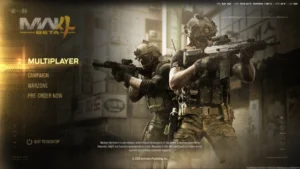
With the latest addition to the Call of Duty franchise, Modern Warfare 4, dropping…
Sep 1, 2026Yes, we do have updated retro consoles out there in the market today like the Playstation Classic, or maybe you've still managed to preserve your retro entertainment system from back in the day (props to you if you have). Not only that, even if you did have one, but you are also limited to the number of games available for that particular platform—you're not about to play Mario Kart 64 on an Atari, are you?
With a huge chunk of classic games out there, it's nearly impossible for you to own every single game and console. Emulators have been the frontend solution for gamers and are ideal alternatives to relive the good old days of gaming. To help you out, we've rounded up a few emulator ''essentials'' and tips for you to begin your journey to retro-town!
Our coverage of Retro Gaming for the PC includes: "How to Play Retro Games on your PC"; "MSI Gaming Pro GP72 7RD Leopard with GTX 1050 now available at Villman"; "Razer announces true surround sound headset, Tiamat 7.1 V2". Each article provides unique insights and information.