
DOSBox For people who have a little more patience, DOSBox is one of the best platforms to have if you're planning on some hard-core retro gaming. In a nutshell, DOSBox emulates Intel x86 PCs (yes, those big, white chunky ones), complete with sound, graphics, and controls, which are necessary for running many old MS-DOS games that simply cannot run on our modern PCs and operating systems. When you open DOSBox, a command window will open. This is essentially your main menu, so to run your DOS games, you can either drag and drop the game file to DOSBox, or you could do it ''traditional style'' and enter a few commands. First, you're going to have to make DOSBox think that your game folder is the root drive by entering the mount command. Do this by entering in: "MOUNT [Drive-Letter] [Local-Directory]" For example, if you saved all your games in a folder named "DOSGames" under drive (D:), type in the ff: "MOUNT C: D:\DOSGames" - This tells DOSBox to treat the C:\DOSGames folder as the (C:) drive. Then type in: "C:" - To make DOSBox put you on the (C:) drive, but this is actually your "DOSGames" folder. We know we handed you over a list of ROM sites you can download from, but for this one, you're going to want to take a look at a website like dosgames.com to find those oldies but goodies that DOSBox will be able to run. Read more in our articles including "How to Play Retro Games on your PC" and "Call of Duty: Modern Warfare 4 Open Beta - First Impressions".
No matter how awesome games are getting today, retro games will always have a place…
Apr 27, 2020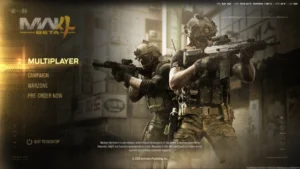
With the latest addition to the Call of Duty franchise, Modern Warfare 4, dropping…
Sep 1, 2026
Gaming handhelds in the Philippines now span from ₱1,550 to almost ₱60,000, and the catalog…
Jun 6, 2026
MOONTON Games has launched the Mobile Legends: Bang Bang Global Skin Design Contest 2026, inviting…
May 22, 2026
International esports organizer PGL has partnered with game developer MOONTON Games to expand the…
Jan 13, 2026
Red Bull has officially entered a new chapter in mobile esports by partnering with Mobile…
Jan 9, 2026DOSBox For people who have a little more patience, DOSBox is one of the best platforms to have if you're planning on some hard-core retro gaming. In a nutshell, DOSBox emulates Intel x86 PCs (yes, those big, white chunky ones), complete with sound, graphics, and controls, which are necessary for running many old MS-DOS games that simply cannot run on our modern PCs and operating systems.
When you open DOSBox, a command window will open. This is essentially your main menu, so to run your DOS games, you can either drag and drop the game file to DOSBox, or you could do it ''traditional style'' and enter a few commands. First, you're going to have to make DOSBox think that your game folder is the root drive by entering the mount command.
Our coverage of DOSBox includes: "How to Play Retro Games on your PC"; "Call of Duty: Modern Warfare 4 Open Beta - First Impressions"; "Gaming Handheld Price List in the Philippines (2026)". Each article provides unique insights and information.